How to Set Up VSIM Hotspot Activations (Eagle One)
All VSIM Activations will be activated under ATT Subscriptions section of the dashboard.
What we need:
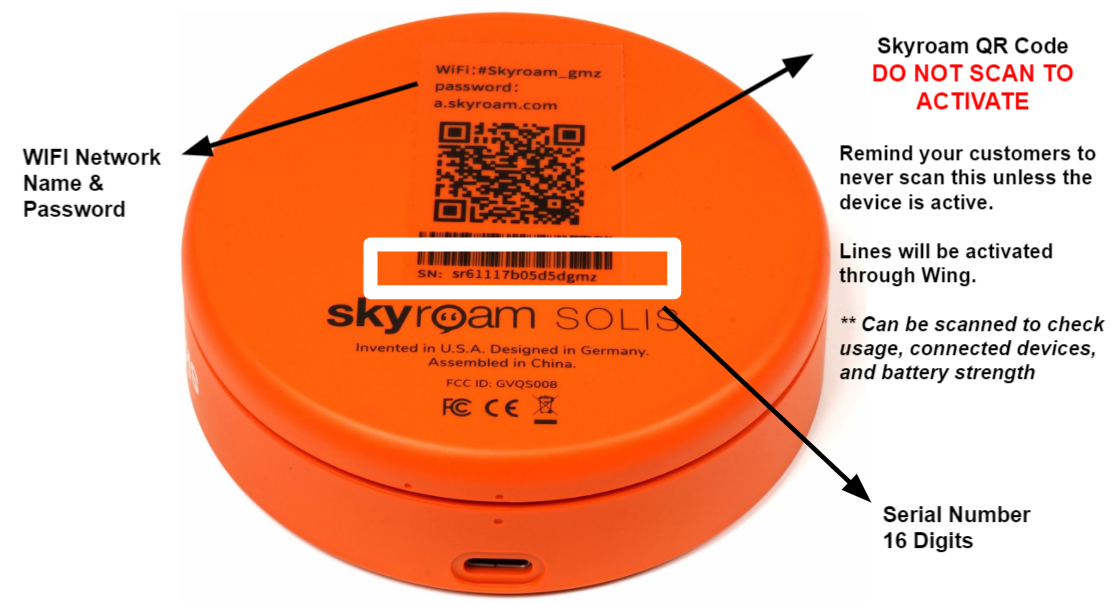
1- Serial Number of the device - can be found at the bottom; 16 digits long
2- Plan of choice:
- 25GB Plan SW
- 50GB Plan SW
- 100GB Plan SW
- 200GB Plan SW
- 300GB Plan SW
- 450GB Plan SW
- 600GB Plan SW
- 800GB Plan SW
- 1000GB Plan SW
IMPORTANT:
- To activate, the Skyroam QR Code should never be scanned. All activations will be processed.
- You can scan the QR code to check on:
- Data Usage
- Connected Devices
- Signal/Battery Strength
Follow these steps on how to submit the activation:
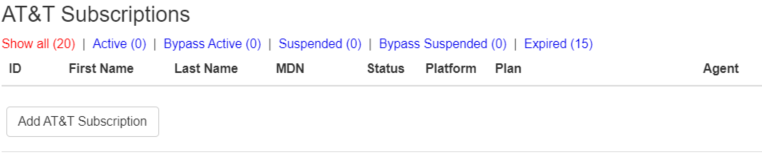
1- On your Admin Dashboard, click on Add ATT Subscription
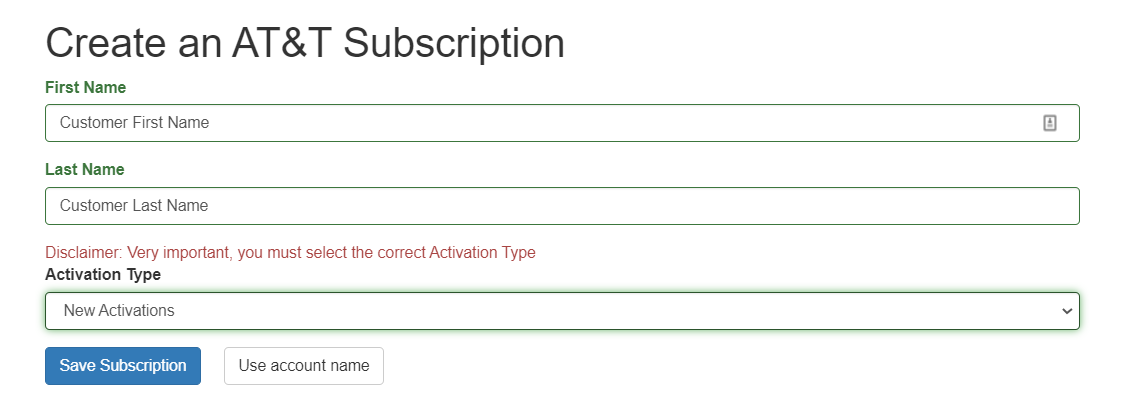
2- On the next page, it will ask for the customer's first and last name
3- Select New Activation and click on Save Subscription.
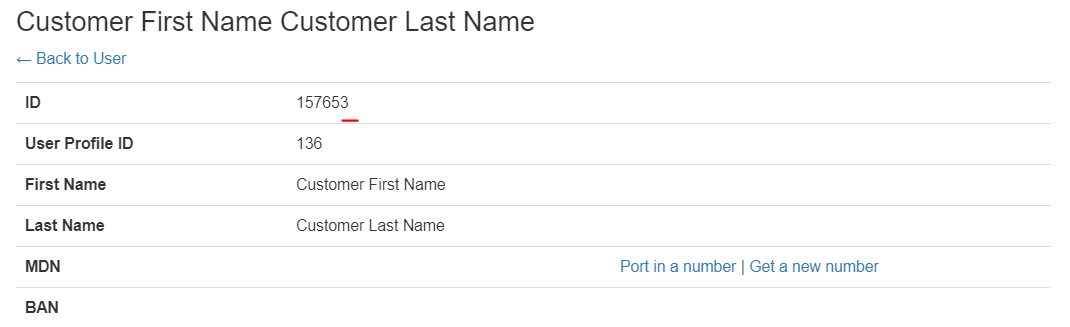
4- Once the sub is built, get the sub ID, usually the first set of numbers at the top.
5- Once done, go to your Slack channel and send the the activation message in this format:

6- Once active, the Business Core team will send a notification on your channel.
The device may take 3-5 minutes to find the best signal for the first time upon activation. You may power cycle the device by turning it off and back on after 10 minutes if it's not working once you get the confirmation that its active.