How to Set Up TracFone Subscriptions for Activation
The Tracfone Subscription section on your dashboard will house the following plans:
- VZ 100GB Plan WW
- Cellular Plans (Basic Plan to Unlimited Plus Plans)
Here's a quick guide on how to set up subs under Tracfone:
1- On your user account page, scroll down to TracFone Subscriptions and click the button: 
2- On the next page it will allow you to enter the client's name and build the blank subscription:
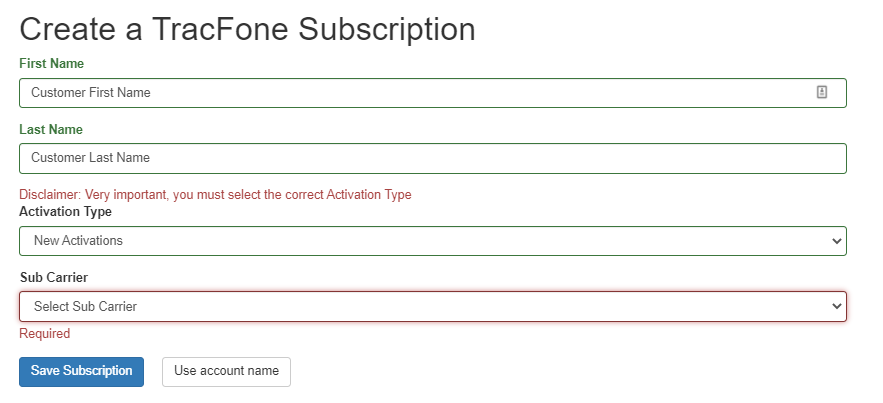
- Enter customer first and last name OR leave blank to fill in the default account name
- For Activation Type select: New Activations
- For Sub Carrier select the carrier that you are activating on: Verizon, AT&T or T-Mobile
- Click Save Subscription
Once that is done, it will take you to the subscription page and nothing else is needed!
The BusinessCore team will process the activation from here, they will add the.
You can find the Sub ID of that subscription on the left-hand side or on the top of the subscription page and post it in the slack channel:


Required in Slack TracFone channel posts:
- Sub ID
- Plan Code
- ICCID
- Model of Device
Sample Post for TracFone Activations in Slack Channel:
Sub ID: 1762 (Sub ID)
VZ 100GB Plan WW (Plan code)
89148000005751440660 (Sim Card)
R2 (Model of device)
Reach out to your Slack channel for any guidance setting up TF subscriptions!